
Skill feeds
A skill feed connects the daemon to a skill server. The daemon reads the server’s skill index, downloads what changed, verifies each download against a SHA-256 digest, and installs skills and subagents where the agent can use them. Use a feed to give every netclaw instance in your organization the same skills without copying files around.
Feeds are the remote counterpart of external skills, which point at directories on disk.
How a sync pass works
Section titled “How a sync pass works”Feeds sync one after another. A feed that fails is skipped and the daemon keeps using the files from its last good sync, but a slow feed delays the ones after it by up to its TimeoutSeconds.
Skills come from the server’s RFC index. Each entry is either a single skill-md file or an archive, a zip that holds the skill’s references/, scripts/ and assets/ as well. netclaw verifies the zip’s digest first, then extracts it with hardening against path traversal, symlink entries and duplicate names. See Bundling resources with skills.
Subagents come from the server’s native manifest, which the RFC index doesn’t carry. A server with no native manifest still works for skills, and the pass reports sidecar=absent.
Add a feed
Section titled “Add a feed”Feeds aren’t managed by netclaw skill source. That command only handles local directories. Add a server through netclaw config or by editing netclaw.json.
In the config menu
Section titled “In the config menu”Run netclaw config, open Skill Sources, choose + Add skill server and enter the base URL. The screen probes the server, shows how many skills it advertises, and suggests a name from the hostname. If the server needs a bearer token, it asks for one.
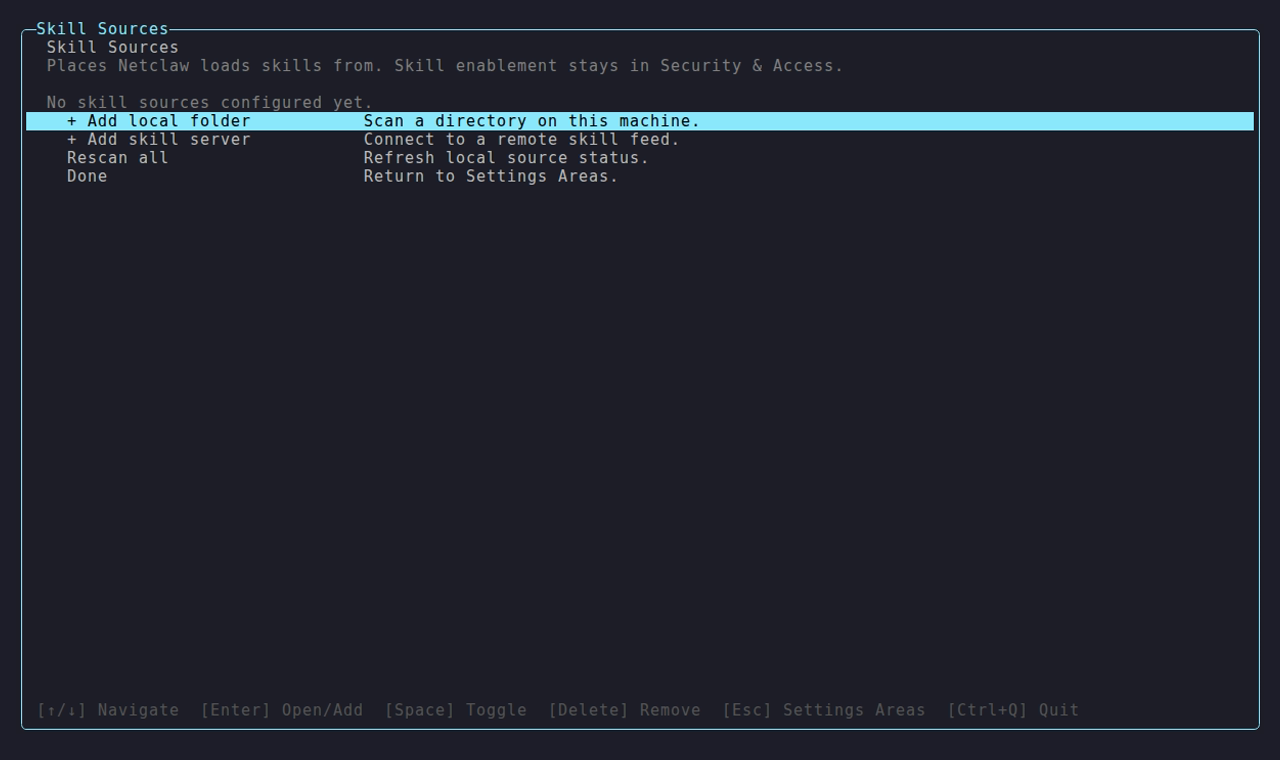
A skill server you add appears under Remote skill servers, like Corp Skills here. Once its feed has been read, the count next to it is what it publishes, which can be higher than what netclaw skill list shows once sync finishes.
In netclaw.json
Section titled “In netclaw.json”{ "SkillFeeds": { "SyncIntervalMinutes": 60, "Feeds": [ { "Name": "corp-skills", "Url": "https://skills.example.com", "Enabled": true, "TimeoutSeconds": 30 } ] }}The daemon restarts itself when netclaw.json changes and runs a sync pass as it starts. Run netclaw doctor after hand edits to catch schema errors.
| Field | Type | Default | Description |
|---|---|---|---|
Name | string | - | Feed identifier and folder name. Lowercase letters, digits and hyphens only (^[a-z0-9-]+$). |
Url | string | - | Server base URL. The daemon adds /.well-known/agent-skills/index.json. |
Enabled | bool | true | Turn a feed off without deleting it. |
TimeoutSeconds | int | 30 | Per-request HTTP timeout, 1 to 300. |
ApiKey | string | none | Bearer token. Supports the ENC: prefix for encrypted storage. |
SyncIntervalMinutes (default 60, range 0 to 1440) sets the timer. 0 means sync at startup only.
A skill server serves reads without a key, so you only need ApiKey when something in front of it, like a proxy, requires one. A publishing key is a different thing and never belongs in netclaw’s config. See Skill server.
When syncs run
Section titled “When syncs run”| Trigger | Timing |
|---|---|
| Daemon start, including the restart after a config change | Immediately. A failure never blocks startup. |
| Timer | Every SyncIntervalMinutes. The first tick adds 0 to 5 minutes of random jitter. |
netclaw skill sync | Right now. If a pass is already running, it waits for that one. |
To pull a skill you just published, run netclaw skill sync. It needs the running daemon.
netclaw skill syncWaiting for the daemon's skill sync pass. Press Ctrl+C to stop this wait.Skill sync pass a304191e2ce04fc28782ad22f8385c2dcorp-skills: ok changed=0 unchanged=2 rejected=0 failed=0 sidecar=completeInventory: ok accepted=12 rejected=0Each feed gets one line. changed counts skills installed, updated or deleted, and sidecar reports the subagent pass:
sidecar | Meaning |
|---|---|
complete | Subagents synced, or the server has none. |
absent | The server has no native manifest, so there’s nothing to sync. |
failed | A subagent request or file failed. Existing subagent files stay. |
not-run | The skill index request failed, so subagents weren’t attempted. |
The command exits 1 if any feed reports failed or rejected above zero, or the inventory refresh fails. Ctrl+C stops the wait, not the pass.
corp-skills: failed changed=0 unchanged=0 rejected=0 failed=1 sidecar=not-run Error: The RFC index request failed.What lands where
Section titled “What lands where”| What | Location |
|---|---|
| Skills | ~/.netclaw/skills/.server-feeds/<feed>/<skill>/ |
| Subagents | ~/.netclaw/agents/.server-feeds/<feed>/<agent>.md |
| Sync state | .sync-state.json in each of the two feed folders |
netclaw skill list labels feed skills native, because they live under ~/.netclaw/skills/. To tell them apart, look at the path or the corp-skills folder.
Updates, edits and removals
Section titled “Updates, edits and removals”- Updates. A skill installs again when the server’s version or digest differs from the sync state. Bump
metadata.versioninSKILL.mdand publish. netclaw shows the version from that frontmatter key, not the number you passed to the publish command. - Local edits. netclaw records a hash of every installed file. If anything edits, adds or deletes a file in a feed skill folder, the next pass reinstalls the published version. Subagent files aren’t hash-checked, so an edited subagent stays edited until its version changes.
- Removals. When the server stops listing a skill, the next pass deletes it. Pruning only runs when the server returns a non-empty index, so an outage or an empty response never wipes your skills. Subagents are pruned only after every page and item synced cleanly.
- First sync after an upgrade. Skills installed before hash tracking get downloaded once more to record hashes.
Name clashes
Section titled “Name clashes”Native and system skills beat feed skills, and feed skills beat external ones. Between feeds, the one listed first in SkillFeeds.Feeds wins. For subagents, any definition in ~/.netclaw/agents/*.md beats a feed copy of the same name, and netclaw logs a warning. To override a feed skill, create a native skill with the same name.
Authoring for a feed
Section titled “Authoring for a feed”A feed serves skills in the AgentSkills.io format. Three feed-specific rules:
- Put
versionundermetadata:. The skill server’s CLI accepts a top-levelversion:key too, but netclaw ignores it and shows-. Undermetadata:both read it. - Names are 1 to 64 characters of lowercase letters, digits and single hyphens.
- A skill that has a
references/,scripts/orassets/folder publishes as an archive automatically.
The full format is in Skills overview. Publishing is covered by the skillserver CLI page.
Security
Section titled “Security”netclaw checks the SHA-256 digest of every skill, archive and subagent a feed serves and rejects a file that doesn’t match. It does not scan skill content. The scanner is off (netclaw#976), so a feed skill loads exactly as the server published it. Subscribe only to servers you run or trust. See Trust and safety.
Subagent files are prompts. A subagent from a feed runs with the same tools and approvals as one you wrote, so read what a feed publishes.
netclaw skill issues doesn’t show feed rejections. A rejected file shows up in the daemon log and in the rejected count of netclaw skill sync.
Troubleshooting
Section titled “Troubleshooting”A feed shows 0 skills
Section titled “A feed shows 0 skills”- Symptom: The server row says
0 advertised, or no skills appear after a sync. - Cause: The URL is wrong, or the server isn’t serving its index.
- Fix: Check the index, and check that the feed is enabled in
netclaw configorSkillFeeds.Feeds:
curl -s https://skills.example.com/.well-known/agent-skills/index.json | headA published skill doesn’t show up
Section titled “A published skill doesn’t show up”- Symptom: You published a skill, but
netclaw skill listdoesn’t show it. - Cause: The timer hasn’t fired yet, or the version didn’t change.
- Fix: Run
netclaw skill sync. If the line saysunchanged, publish a newmetadata.version.
The sync line says failed
Section titled “The sync line says failed”- Symptom:
netclaw skill syncexits 1 withfailed=1. - Cause: The server was unreachable or slow, or one skill failed to download or verify.
- Fix: Read the
Error:line and the daemon log at~/.netclaw/logs/. Existing skills stay in place. RaiseTimeoutSecondsfor a slow server.
A subagent doesn’t appear
Section titled “A subagent doesn’t appear”- Symptom: The server lists a subagent, but
spawn_agentcan’t find it. - Cause: A local agent with the same name wins, the feed shows
sidecar=absentorfailed, or the file failed validation. - Fix: Check
~/.netclaw/agents/.server-feeds/<feed>/for the file. A name clash and a validation failure both log a warning in the daemon log.
Related pages
Section titled “Related pages”- Skills overview: tiers, precedence and trust
- Skill server: run the server a feed points at
- Native manifest: how subagents reach netclaw
- Distributing subagents: publish a subagent to a feed
netclaw skill:skill syncand the other subcommands
Resources
Section titled “Resources”- AgentSkills.io: the
SKILL.mdformat specification - Cloudflare Agent Skills Discovery RFC: the discovery protocol behind skill feeds
- netclaw-dev/skill-server: the reference skill server
 Built by Petabridge