
netclaw reminder
netclaw reminder manages scheduled agent sessions. A reminder fires on a schedule (once, on an interval, or via cron), runs a session with your instructions, and can post the result to a channel. Use reminder run to test one before the schedule does, because a scheduled run can’t answer approval prompts. The unattended runs guide explains why and how to prepare.
Every subcommand except validate needs a running daemon. Without one you get [FAIL] reminder <subcommand>: requires a running daemon. and exit code 1. Start it with netclaw daemon start, or docker restart <container> in Docker.
netclaw reminder <subcommand> [options]Subcommands
Section titled “Subcommands”| Subcommand | Description |
|---|---|
list | List reminders as a table, enabled or not. --json for scripts |
create | Create or update a reminder |
ui / tui | Interactive reminder builder |
show <id> | Show a reminder’s details |
history <id> | Show execution history |
status <id> | Show failures, skipped fires, next fire and recent runs |
run <id> | Open a chat that tests the reminder now |
enable <id> | Enable a reminder |
disable <id> | Disable a reminder |
cancel <id> | Delete a one-shot reminder, or disable a recurring one |
delete <id> | Permanently delete a reminder and its history |
import <file> | Import a reminder from a JSON file |
validate <file> | Validate a reminder file offline, no daemon needed |
Interactive TUI
Section titled “Interactive TUI”netclaw reminder uiThe Reminder Builder walks you through six steps: title, schedule type, schedule value, instructions, delivery guidance, and review.
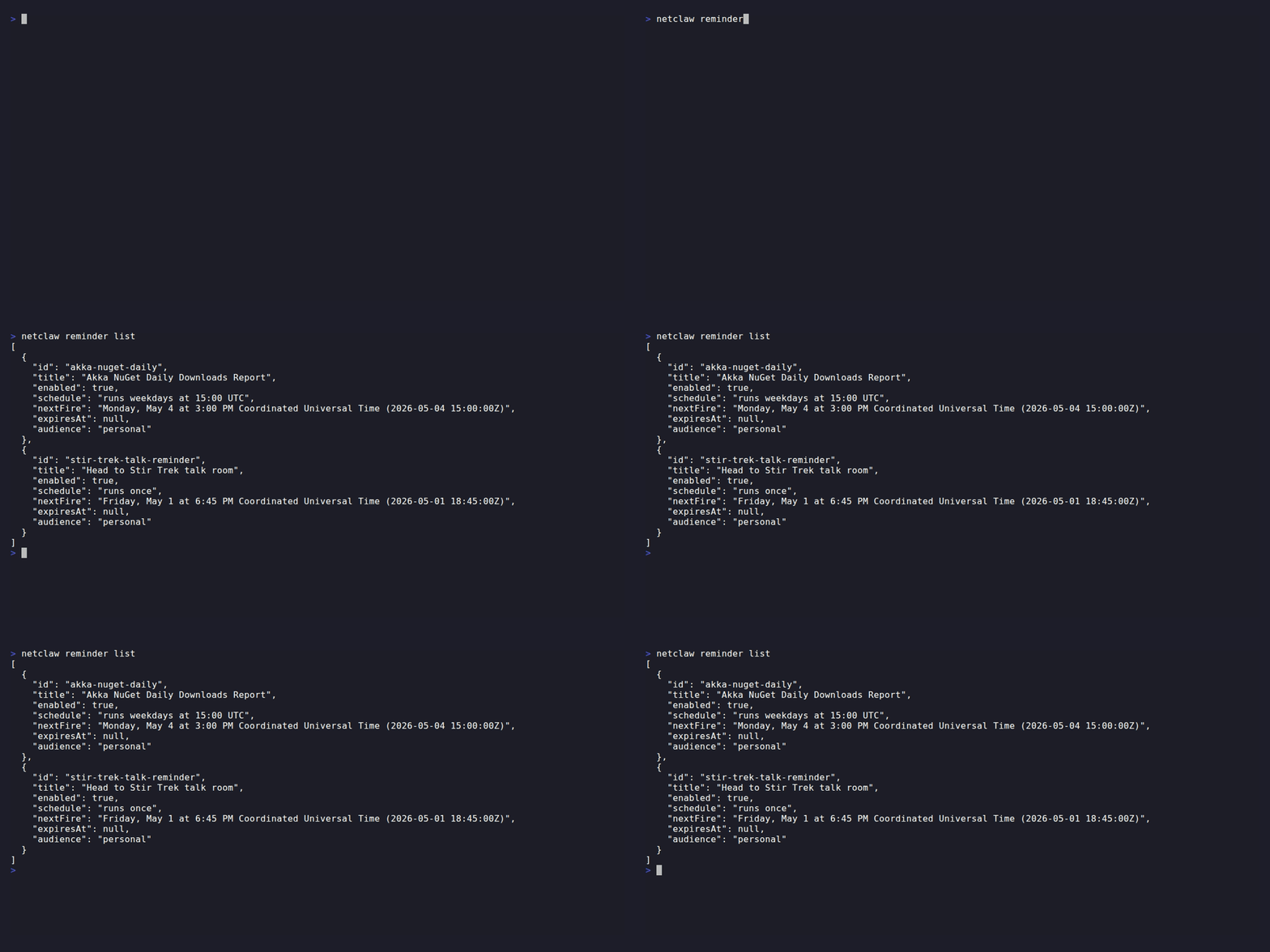
The recording runs about 19 seconds from step 1 to the “Reminder created” screen, which offers Create another or Quit.
Navigate with the arrow keys and Enter. Esc goes back a step and does nothing on the first step. Ctrl+Q quits from anywhere. Ctrl+Enter adds newlines in multi-line fields.
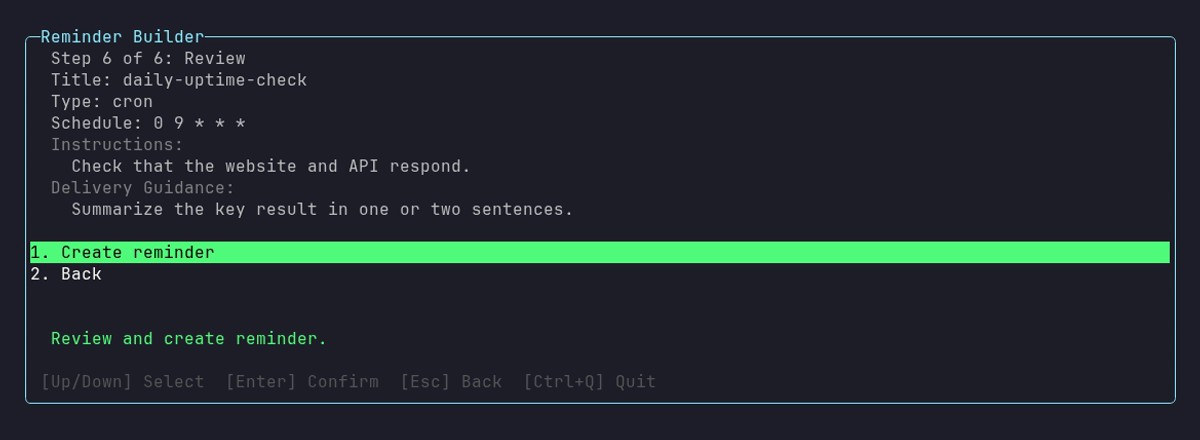
The review step repeats everything you entered, so this is the last chance to go back with Esc.
netclaw reminder list [--json]Prints a table with one row per reminder: id, status, failures, schedule, next_fire and title. With none, it prints No reminders.
id status failures schedule next_fire title---------------------------------------------------------------------------------------------------------------daily-uptime-check enabled 0 runs daily at 09:00 UTC 2026-10-30 09:00:00Z daily-uptime-checkrec-demo disabled 0 runs every 30m - rec-demoweekly-report enabled 0 runs every Monday at 09:00 America/Chicago 2026-11-02 15:00:00Z Weekly report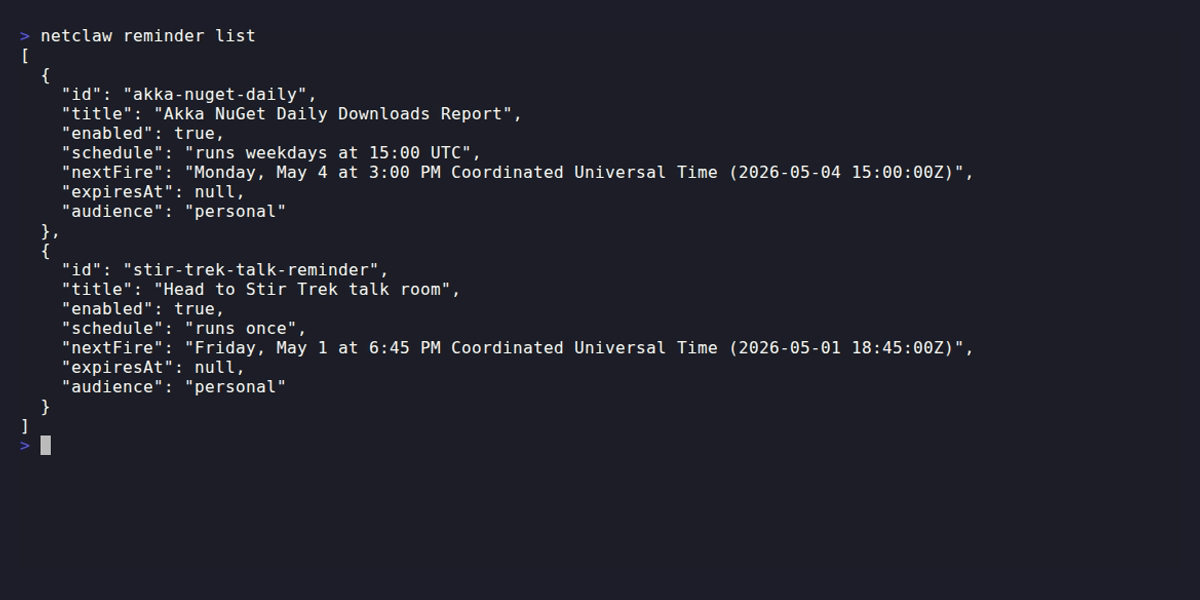
The schedule is spelled out in words, and next_fire is always UTC, even when the schedule names another zone, as weekly-report does with America/Chicago. status is enabled, disabled, or failed for a recurring reminder that gave up. A one-shot deletes itself when it ends, so it leaves the list the moment it runs, fails or is cancelled. Use status or history to see how it ended. An unknown option exits 1 with a usage line.
--json prints a JSON array of id, title, enabled, a readable schedule, nextFire, expiresAt, audience, consecutiveFailures and terminalOutcome for each reminder, which is what list printed before 0.28. With none, it prints No active reminders.
create
Section titled “create”netclaw reminder create <id> <scheduleType> <schedule> "<prompt>" [options]| Positional | Description |
|---|---|
id | Stable identifier. netclaw lowercases it, turns other characters into dashes and cuts it to 50 characters, so Daily Standup becomes daily-standup |
scheduleType | once, interval, or cron |
schedule | Duration, timestamp or cron expression (see Schedule types) |
prompt | What the agent should do when the reminder fires |
Options
Section titled “Options”| Flag | Description | Default |
|---|---|---|
--name <title> | Human-readable title | Same as id |
--delivery <kind> | none or channel | none |
--transport <transport> | Channel transport: slack, discord or mattermost | - |
--address <target> | Where to post: a channel name, @user or an ID. Formats per transport | - |
--expires-in <duration> | Auto-disable after this long, for recurring reminders (24h, 7d) | - |
IDs that start with restart-resume- belong to the system, and create refuses them with The reminder ID prefix 'restart-resume-' is reserved for the system. If a reminder with that ID already exists, create updates it. A reminder created here runs with the Personal audience, because the CLI is the operator. To schedule one for a lower audience, ask the agent from a chat in that audience. Under a Team or Public deployment posture, tool access follows the posture’s audience, so a Personal reminder can be refused by run_reminder. Create it again from a chat in the narrower audience. See audience scoping.
--transport only works for a channel you’ve configured. Without the channel, the command fails with Unknown transport 'slack'. Available transports: [none]. Set the channel up in netclaw config first. The CLI can’t set a current_session target. That one comes from the agent, inside the conversation it should reply in.
Schedule types
Section titled “Schedule types”| Type | What it does | Examples |
|---|---|---|
once | Fires one time, then deletes itself | 30m, 2h, or an ISO 8601 timestamp like 2030-06-01T18:00:00Z |
interval | Repeats on a fixed duration | 2m, 2h, 1d |
cron | Fires on a cron schedule: 5 fields, UTC unless you add a CRON_TZ= prefix | 0 */6 * * *, CRON_TZ=Europe/Brussels 0 9 * * MON-FRI |
Intervals under 60 seconds are rejected (Minimum interval is 60 seconds.). Anything longer fires on every interval. A once reminder still delivers up to seven days late if the daemon was down at its fire time, and a recurring one gets at most one catch-up fire after downtime. The configuration page has the details.
A CRON_TZ= prefix takes an IANA zone ID without spaces, like America/Chicago. Windows names such as Eastern Standard Time and unknown zones are rejected:
[FAIL] Error: Invalid CRON_TZ prefix. Unknown time zone 'Eastern'. Use an IANA id such as America/Chicago.Examples
Section titled “Examples”Recurring cron reminder in your time zone
Section titled “Recurring cron reminder in your time zone”netclaw reminder create weekly-report cron "CRON_TZ=America/Chicago 0 9 * * MON" \ "Summarize last week's merged pull requests and open incidents." \ --name "Weekly report"One-shot with Slack delivery
Section titled “One-shot with Slack delivery”netclaw reminder create stir-trek-talk once 2h \ "Remind me to head to the Stir Trek talk room" \ --name "Head to Stir Trek talk room" \ --delivery channel --transport slack --address "#general"A one-shot reminder deletes itself when it ends, whether it ran, failed, was denied, was cancelled or expired. create says so in its reply. Re-creating a reminder with the same ID starts a fresh one.
Cron health check every six hours
Section titled “Cron health check every six hours”netclaw reminder create infra-check cron "0 */6 * * *" \ "Run netclaw doctor and summarize any degraded services."netclaw reminder show <id>Prints a summary of the reminder: schedule in words, next fire, instructions, delivery fields, audience, consecutiveFailures and terminalOutcome. This is a view for reading, not the stored definition, so it’s not what import expects. The stored file is ~/.netclaw/schedules/reminders/<id>.json.
For a one-shot that has ended, show exits 1, because its definition is gone:
[FAIL] Reminder 'once-demo' ended (cancelled) at 2026-10-29 15:19:02Z and its definition was deleted. Its history stays readable until 2026-11-10 15:19:02Z: netclaw reminder history once-demohistory
Section titled “history”netclaw reminder history <id> [--last N]| Flag | Description | Default |
|---|---|---|
--last <N> | Number of history records to return | 20 |
Output is a table with the columns fired_at, status (ok, denied or failed), duration_ms and session_id. Use the session ID to see what the agent did with netclaw sessions.
fired_at status duration_ms session_id-------------------------------------------------------------------------------2026-10-14 04:18:00Z denied 25847 reminder/disk-note/17919514800002026-10-14 04:24:00Z ok 25754 reminder/disk-note/1791951840000A run is denied when a tool call was denied because nobody could approve it, or because the audience’s policy forbids the tool or path. For a recurring reminder, a denial isn’t a failure. netclaw doesn’t retry the run or count it toward auto-disable, and it raises a reminder.tool_denied alert once per distinct denial until the next ok run. Save the grant the call needs, and the next run goes through. A one-shot has no next run, so a denial ends it as failed. Its end record keeps the denial text and the prompt, and you set the reminder again once the grant exists. A run is ok when the session finished and nothing was denied, even if the agent couldn’t do its job otherwise.
status
Section titled “status”netclaw reminder status <id>The first command to run when a reminder misbehaves. Where history lists raw runs, status shows whether it’s enabled, whether a run is in flight, when it fires next, how close it is to auto-disabling, and its last five outcomes.
$ netclaw reminder status disk-noteReminder: disk-noteEnabled: TrueExecuting now: FalseNext fire: Wednesday, October 7 at 3:27 PM Coordinated Universal Time (2026-10-07 15:27:00Z)Consecutive fails: 0Skipped occurrences: 0Terminal outcome: noneRecent history (newest first): 2026-10-07 15:24:00Z ok| Field | Meaning |
|---|---|
Enabled | Whether the reminder is active. Flips to False on its own after 5 consecutive failures, never after denied runs. |
Executing now | A run is in flight right now. |
Next fire | Next scheduled time, or not scheduled when disabled. |
Consecutive fails | Current failure streak. Auto-disables at 5, and one success resets it to 0. |
Skipped occurrences | Fires dropped because the previous run was still going, or because the scheduler delivered one too late to finish. Counted since daemon start. |
Terminal outcome | none while the reminder can still run. Failed after a recurring reminder gave up. |
Ended | For a one-shot that has ended: the outcome (completed, failed, cancelled or expired), when, and until when its history stays. Replaces Terminal outcome. |
Last error, Prompt | A failed one-shot also prints these, so you can set it again. Prompt appears only here, not in show. |
Occurrence status, Occurrence attempts, Next retry, Last failure | Shown for a one-shot that has a pending occurrence, including retries after a failure. |
Recent history | The five most recent runs, newest first, with the error for failed and denied ones. |
A one-shot deletes itself when it ends, but status and history keep answering for 12 days. status then shows Enabled: False, Next fire: not scheduled and the Ended: line instead of Terminal outcome::
Ended: cancelled at 2026-10-29 15:19:02Z (history stays until 2026-11-10 15:19:02Z)An unknown ID exits non-zero with Reminder '<id>' not found.
A climbing Skipped occurrences count means the reminder is scheduled more often than a run takes to finish. See troubleshooting.
netclaw reminder run <id>Opens a normal chat with /run-reminder <id> as the first message. The agent loads the run-reminder skill, warns that the test does real work and asks you to confirm. Answer yes, and it carries out the reminder’s exact prompt in that chat and asks you to approve each gated call, so you can save “Always” grants that the scheduled run will use. Nothing is recorded in the reminder’s history, and the schedule doesn’t change.
The steps are real. A reminder that deletes files deletes them, and one that posts to a channel posts there.
A test only runs in a chat with the reminder’s own audience. A CLI chat is Personal, narrowed to your deployment posture, so on a Personal host reminder run tests Personal reminders and on a Team host it tests Team ones. For a reminder at another audience, run /run-reminder <id> in a channel with that audience instead. If the reminder is a one-shot that already ended, the agent says so and tells you to set it again. The unattended runs guide shows the whole flow with real output.
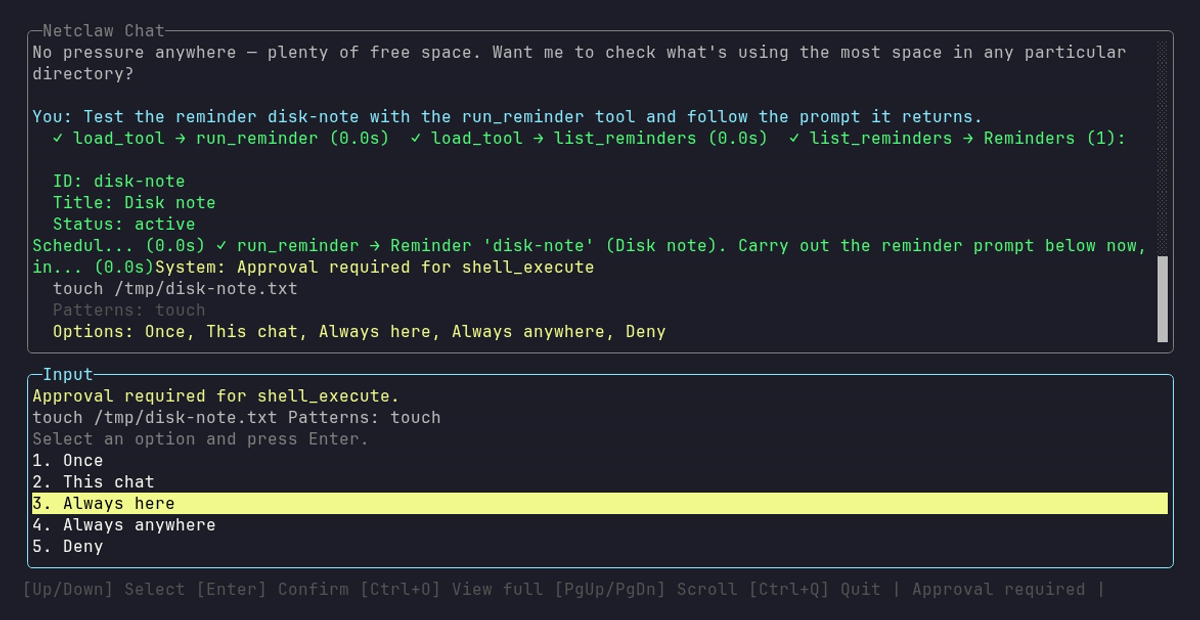
The prompt has five options because the command doesn’t run inside a Git repository, so This repository isn’t offered.
Any other form (reminder run with no ID, or extra arguments) prints Usage: netclaw reminder run <id> and exits 1. run doesn’t print a result block or take --json. The result is the chat itself.
enable / disable
Section titled “enable / disable”netclaw reminder enable <id>netclaw reminder disable <id>Disabled reminders keep their definition and history and stop firing. Enabling one resets its schedule, so an interval reminder fires one interval after you enable it. An ended one-shot can’t be enabled. enable, disable and show fail with the same ended ... its definition was deleted message, and you create the reminder again instead.
cancel vs delete
Section titled “cancel vs delete”netclaw reminder cancel <id>netclaw reminder delete <id>cancel on a recurring reminder disables it and keeps the definition and history, so you can re-enable it later:
Reminder 'rec-demo' cancelled (disabled).On a one-shot, cancel deletes the reminder and writes an end record with the outcome cancelled:
Reminder 'once-demo' cancelled and deleted.Cancelling a one-shot that already ended prints Reminder '<id>' already ended (<outcome> at <time>). Nothing changed. and exits 0. delete removes everything, history included.
import
Section titled “import”netclaw reminder import <file> [--replace|--upsert]Imports a reminder from a definition file. The format is the stored file’s, documented in the definition schema, so a file copied from ~/.netclaw/schedules/reminders/ on another install imports as it is.
| Mode | Description |
|---|---|
| (default) | Create only. Fails if the reminder already exists |
--upsert | Create or update |
--replace | Replace the existing reminder entirely |
A successful import prints Imported reminder '<id>'. IDs that start with restart-resume- are reserved, so an export that contains one fails with The reminder ID prefix 'restart-resume-' is reserved for the system. Remove that entry from the file first. The default mode refuses an existing ID with [FAIL] Reminder '<id>' already exists. Use --upsert to update it.
validate
Section titled “validate”netclaw reminder validate <file>Checks a definition file offline, without a daemon:
$ netclaw reminder validate daily-standup.jsonReminder definition is valid: daily-standupIt requires id, title, instructions, delivery, audience and boundary, plus the schedule field for the type:
OneShotneedsfireAtMsIntervalneedsintervalTicksCronneeds a validcronExpression(5 fields, optionally withCRON_TZ=)
A file without boundary fails with JSON deserialization ... was missing required properties including: 'boundary', and an unknown time zone fails with Invalid CRON_TZ prefix. Unknown time zone 'Nope/Zone'. Use an IANA id such as America/Chicago. validate doesn’t check that boundary suits the audience. The daemon does that when it saves.
Exit codes
Section titled “Exit codes”| Code | Meaning |
|---|---|
0 | Success |
1 | Reminder not found, validation error, daemon unreachable, or another failure |
What’s next
Section titled “What’s next”Run netclaw reminder list to confirm your reminder appears with the right schedule. After it fires, netclaw reminder status <id> tells you whether it’s healthy, and history gives you the session ID to pass to netclaw sessions. If the reminder needs shell or file access, test it with run before the schedule does.
Related pages
Section titled “Related pages”- Run reminders, webhooks and scripts unattended - why a scheduled run is denied and how to approve it ahead of time
- Reminders configuration - definition schema, schedules, delivery targets and audience scoping
netclaw sessions- inspect what happened during a reminder sessionnetclaw approvals- list, add and revoke saved grantsnetclaw status- confirm the daemon is running
Resources
Section titled “Resources”- Crontab.guru - visual editor for cron schedule expressions
- Cron expression syntax (Wikipedia) - reference for the 5-field cron format
- IANA time zone database (Wikipedia) - zone IDs for
CRON_TZ= - ISO 8601 (Wikipedia) - timestamp format for one-shot schedules
 Built by Petabridge