
Skills overview
A skill is a markdown file that teaches the agent how to do one thing: your team’s commit conventions, a deploy checklist, how to triage a failing pod. A subagent is a separate markdown file that defines a specialist the agent can hand a bounded task to. Both are plain text you can read, diff and keep in git.
netclaw puts a one-line-per-skill index into the system prompt when a session starts. The model reads full instructions only when it needs them, so a big library costs a few lines of context. You can also start a skill yourself by typing /skill-name at the start of a message.
Skills use the AgentSkills.io format, a SKILL.md with YAML frontmatter, so most skills you write for netclaw also work in other agent tools.
Where skills come from
Section titled “Where skills come from”| Tier | Location | Managed by |
|---|---|---|
| system | ~/.netclaw/skills/.system/ | The daemon. Restored from the binary on every start. |
| native | ~/.netclaw/skills/ | You, or the agent through skill_manage |
| server feed | ~/.netclaw/skills/.server-feeds/<feed>/ | A skill server you subscribe to. See Skill feeds. |
| external | Directories you add | The tool that owns them. See External skills. |
| MCP prompt | Not on disk | A connected MCP server |
Subagent definitions live next to skills but load separately. Your own are in ~/.netclaw/agents/, and a skill server can install more into ~/.netclaw/agents/.server-feeds/<feed>/. See Custom subagents.
System skills
Section titled “System skills”The daemon ships nine system skills, embedded in the binary: agent-coordination, netclaw-memory, netclaw-operations, netclaw-projects, run-reminder, search-citation, skill-authoring, subagent-authoring and web-content-retrieval. Nothing downloads. Every daemon start replaces the .system folder with the copies in the binary, so edits there don’t survive a restart.
There is no setting to turn system skill sync off. 0.27.0 removed SkillSync.DisableSystemSkillSync, and netclaw doctor --fix deletes it from an old config.
Precedence
Section titled “Precedence”When two sources define the same name, the higher tier wins and the other copy shows up as a DuplicateName issue:
system > native > server feeds > externalFeeds rank in the order they appear in SkillFeeds.Feeds, and external sources in the order of ExternalSkills.Sources. A system skill beats a native skill of the same name, so you can’t shadow netclaw-memory by dropping a file in ~/.netclaw/skills/. A native skill beats everything you sync or point at.
MCP prompts
Section titled “MCP prompts”Prompts from connected MCP servers appear as skills named mcp__<server>__<prompt>. They show up in netclaw skill list with source mcp, and the agent loads them through skill_load with an arguments map. They aren’t files, so there is nothing to edit, and they don’t become / commands.
What a skill looks like
Section titled “What a skill looks like”Two layouts work. A directory holds a skill with supporting files, and a flat file holds a self-contained one:
commit/  SKILL.md          # required: frontmatter + instructions  references/       # optional: material the agent can read  scripts/          # optional: scripts the agent can run  assets/           # optional: templates, images
commit.md # flat-file alternative---name: commitdescription: Create well-structured git commits with conventional commit messages.metadata: version: 1.0.0argument-hint: "<scope>"---
# Commit changes
Instructions for the agent go here.| Field | Required | Description |
|---|---|---|
description | Yes | One line, up to 1024 characters. The model sees it in the index, so say when to use the skill. |
name | No | Lowercase identifier. Defaults to the directory or file name. When you set it on a native skill it must match that name. |
metadata.version | No | A version string like 1.0.0. A top-level version: key is ignored, and netclaw skill list shows -. |
invocable | No | Defaults to true. Set false to hide the skill from / commands. |
disable-model-invocation | No | Set true to keep the skill out of the index. You can still run it with /name. |
argument-hint | No | Text shown after the command name, like <scope>. |
metadata.subagent | No | Name of a subagent to run the skill instead of returning its text. |
allowed-tools | No | Informational only. It never grants access. |
license, compatibility | No | Free-form strings. compatibility is a single string, not a list. |
netclaw ignores unknown keys, so a misspelled one fails silently. The key is invocable, not user-invocable. netclaw skill list shows the name key. The Display: line in netclaw skill show comes from the first # heading in the body, or from the title-cased name when there is none.
Files under a skill directory other than SKILL.md count as resources. A skill server can ship them as a zip archive, and netclaw extracts it into an ordinary skill folder. See Bundling resources with skills.
How skills get used
Section titled “How skills get used”| Path | What happens |
|---|---|
| The model loads a skill | It reads the index, calls skill_load with the name, and gets the body plus a list of resource files. It reads a resource with skill_read_resource, which returns the file’s absolute path on the first line so the agent can run a bundled script. |
You type /name | The text after the name becomes your message, and netclaw adds the skill body to that turn. With no text, netclaw tells the model you invoked the skill. See Slash commands. |
A skill has metadata.subagent | Loading it, or typing its /name, starts that subagent in the background with the skill body as extra instructions and your text as the task. The call returns the accepted run, and the result arrives in a later turn as a notice that names result.md. The subagent runs with the session’s effective audience. The target has to exist and be user-facing. The model has to pass a task when it loads one. |
| The model calls an MCP prompt skill | skill_load returns the prompt’s messages. Pass arguments for prompts that take them. |
Routing example:
---name: researchdescription: Deep research on a topic using multiple sources.metadata: subagent: research-assistant---The model sees the index only in sessions with a Team or Personal audience. Public sessions get no index, and skill_load returns an error for them. SkillSync.Enabled: false empties the index and makes skill_load and skill_read_resource refuse for every audience.
New and edited skill files are picked up without a restart. A file watcher on the native, feed and external directories rescans after a 500 ms pause. New sessions see the updated index. Changing which sources exist, such as adding an external directory, restarts the daemon in-process.
Trust and safety
Section titled “Trust and safety”netclaw does not scan skill content. The scanner is turned off (netclaw#976), so a skill from any tier loads as written. Prompt-injection detection still runs on inbound channel messages. Treat a skill as instructions you are giving the agent and install only skills you’ve read or whose source you trust.
What does protect you:
- Feed downloads are checked against the server’s SHA-256 digest, and a mismatch is rejected.
- Synced files are hash-checked. If anything edits a feed skill folder or a system skill, the next sync or daemon start puts the published copy back.
skill_managerefuses to edit system, feed and external skills. Only native skills are editable.allowed-toolsgrants nothing. Tool access comes from the security policy, and a skill runs under the same approvals as any other turn.- Symlinks are rejected in native and system directories. An external source can opt in with
AllowSymlinks.
The skill folders are writable by the agent, so a script bundled with a feed skill can run through the shell tool. That only works in sessions whose audience allows shell_execute.
Configuration
Section titled “Configuration”Most setup happens in netclaw config under Skill Sources, where you add local folders and skill servers.
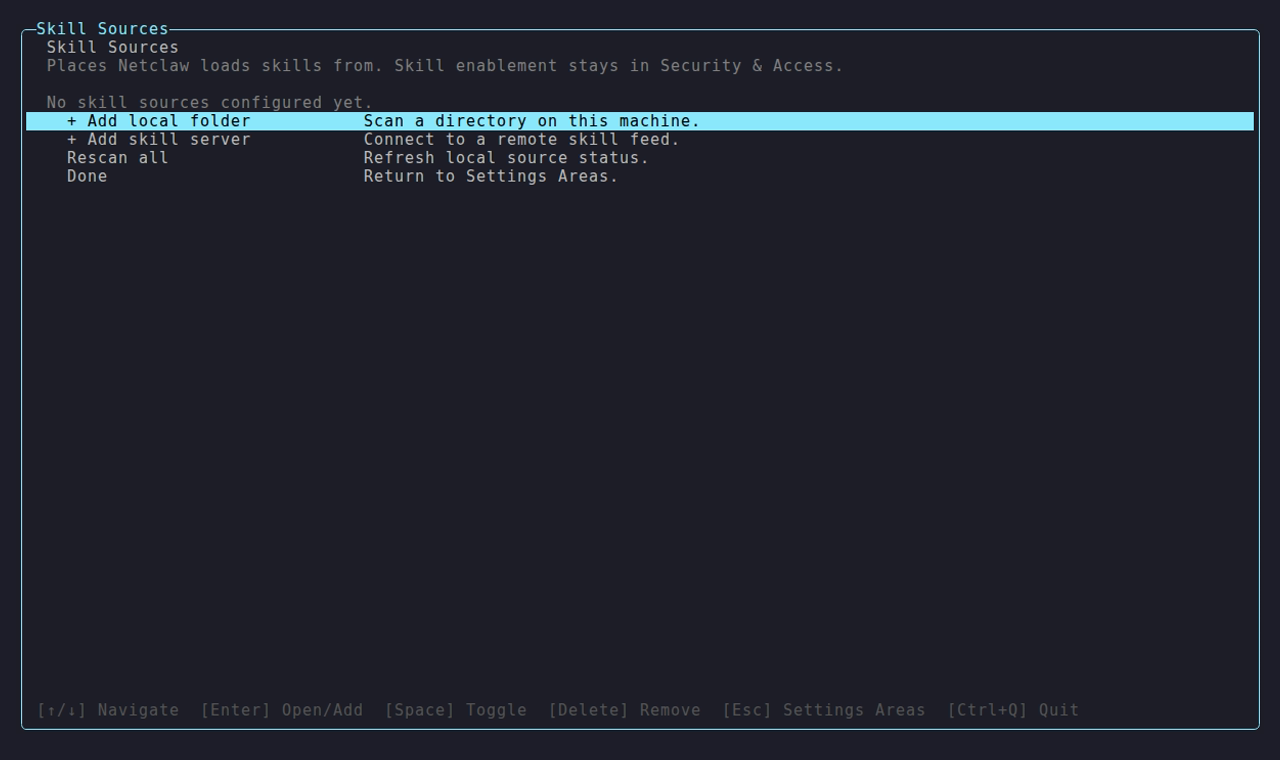
The screen lists local folders with their skill counts, and remote servers appear alongside them with how many skills each advertises.
| Key | Default | Description |
|---|---|---|
SkillSync.Enabled | true | When false, the skill index is empty and the skill tools refuse every call. |
SkillFeeds | none | Skill servers to sync from. See Skill feeds. |
ExternalSkills.Sources | none | Extra skill directories. See External skills. |
To see what the agent has loaded, run netclaw skill list (the daemon has to be running). To see which skills it uses, run netclaw stats skills.
Limitations
Section titled “Limitations”- Skills are text. They can’t register tools or change daemon behavior.
- There’s no version history or rollback for native skills. Overwrite one and the old copy is gone, so keep yours in git.
skill listshows skills from a skill server with sourcenative, because they live under~/.netclaw/skills/. The offline commandsshow,search,issuesandremovedon’t see them. Seenetclaw skill.- There’s no public marketplace. Skills come from the sources you configure.
Related pages
Section titled “Related pages”- Skill feeds: sync skills and subagents from a skill server
- External skills: read skills from Claude Code or any directory
- Custom subagents: define subagents and spawn them
netclaw skill: list, inspect and validate skills- Slash commands:
/nameand the other commands you can type
Resources
Section titled “Resources”- AgentSkills.io: the
SKILL.mdformat specification - Cloudflare Agent Skills Discovery RFC: the protocol behind skill feeds
- netclaw skill-server: the self-hosted skill registry
 Built by Petabridge