
netclaw init
netclaw init is the first-run wizard. It takes a fresh install to a working chat session in four steps (Personal posture) or five (Team and Public). Run it once. For channels, search, exposure mode and skill sources, use netclaw config afterwards.
netclaw initinit has no flags and no non-interactive mode. To set up a machine without a terminal, write netclaw.json yourself or pass NETCLAW_* environment variables, as the Docker deployment page does.
Before you begin
Section titled “Before you begin”- An LLM provider: an OpenRouter API key is the quickest, or Ollama running locally. Anthropic, OpenAI, DeepSeek, Venice.ai and GitHub Copilot work too.
- Nothing for channels, search, browser automation or network exposure. All of that is in
netclaw config.
| Key | Action |
|---|---|
↑ / ↓ | Move through a list |
Enter | Accept and go to the next screen |
Space | Toggle a feature (feature step only) |
Esc | In the wizard, go back one screen. Does nothing on the first screen. On the existing-install menu it quits init. See existing install. |
Ctrl+Q | Quit |
Wizard steps
Section titled “Wizard steps”The header counts steps as “of 5” until you pick a posture. Choose Personal and the count drops to 4.
1. Provider
Section titled “1. Provider”Pick a provider, enter credentials, and choose a default model.
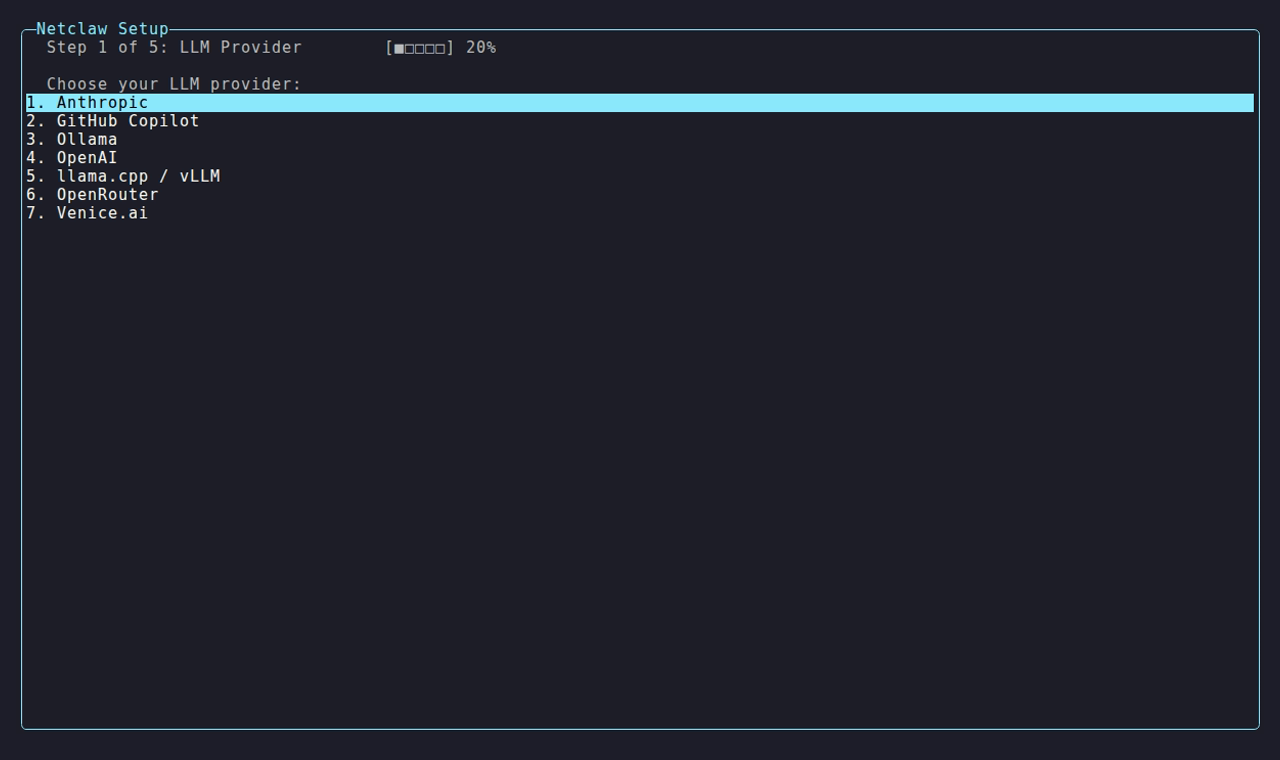
The wizard lists Anthropic, DeepSeek, GitHub Copilot, Ollama, OpenAI, OpenAI-compatible (llama.cpp / vLLM / DwarfStar ds4), OpenRouter and Venice.ai. Ollama and OpenAI-compatible ask for an endpoint next.
The endpoint field arrives pre-filled with http://localhost:11434 and the cursor sits at the end, so press Backspace to clear the default before you type your own. Enter the server address, such as http://llm.example.internal:8080, with or without /v1. If the connectivity check fails, press Enter to retry, M to type a model ID by hand, or Esc to go back.
Hosted providers ask for an API key. Self-hosted ones treat the key as optional.
Once the connectivity check passes, pick a default model from the discovered list, or choose Enter model ID manually….
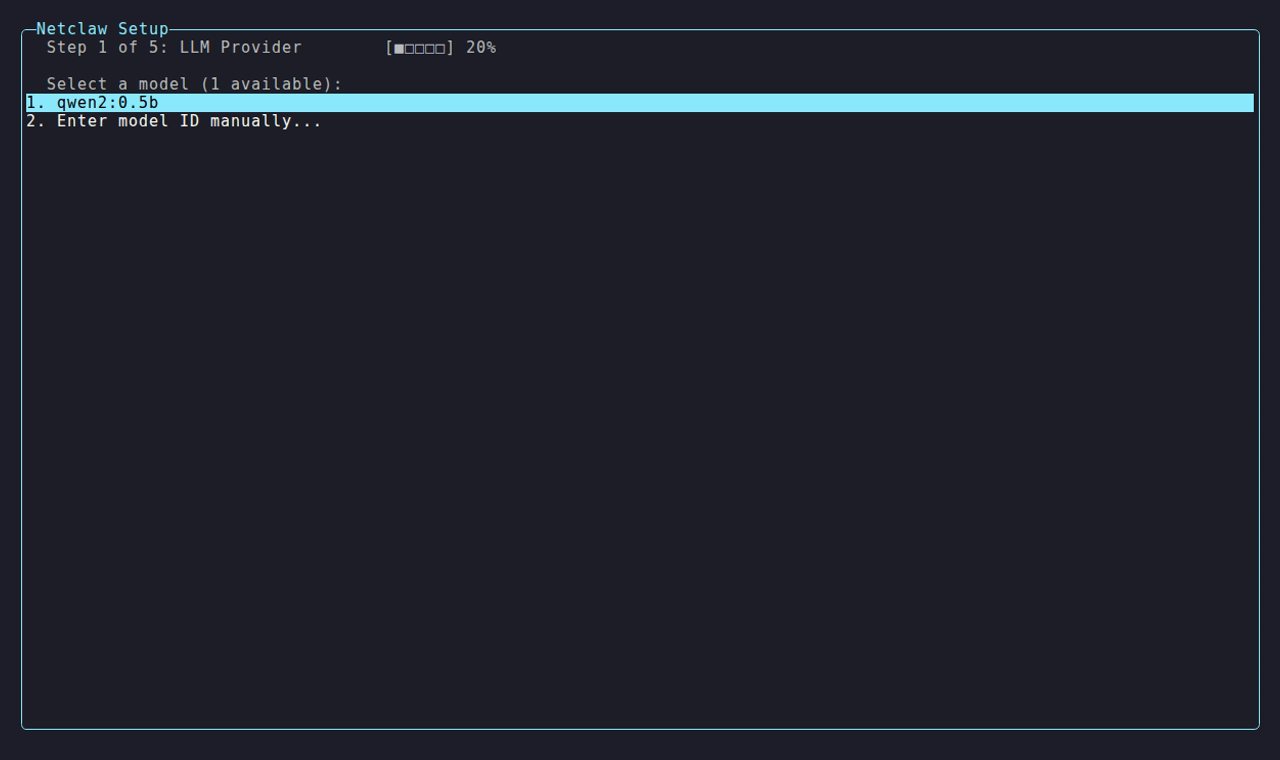
The discovered models come first and the manual entry is always the last row. Add or swap providers later with netclaw provider, and reassign roles with netclaw model.
2. Identity
Section titled “2. Identity”Four prompts in order:
| Prompt | Notes |
|---|---|
Agent name: | Netclaw if you leave it |
Communication style: | Concise & casual, Concise & formal, Detailed & casual or Detailed & formal |
Your name: | So the agent knows what to call you |
Your timezone: | An IANA id such as America/Chicago. Starts as UTC. Used for time-aware answers and scheduling |
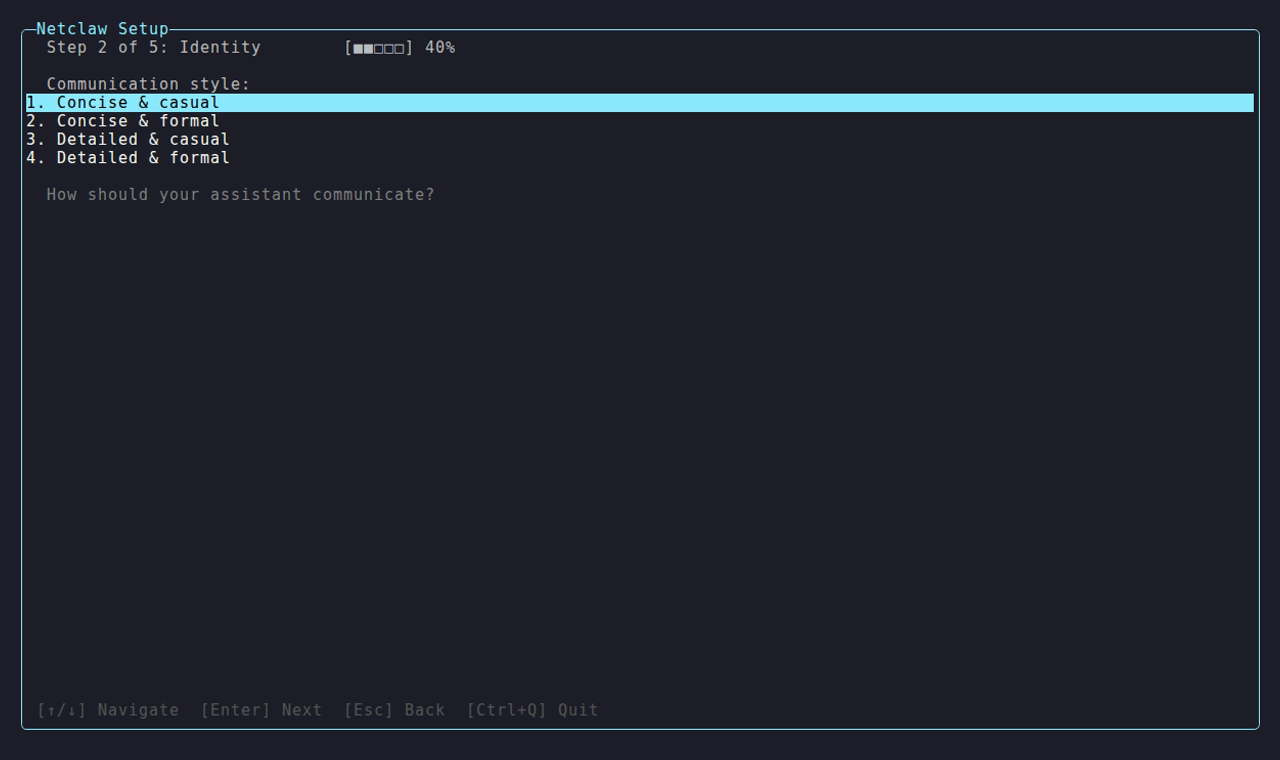
The communication style is the second of the four identity prompts. A timezone that isn’t an IANA id gets an inline message such as Unknown time zone 'Foo/Bar'. Use an IANA id such as America/Chicago., and Central Standard Time is refused because it has spaces. On a minimal Linux image without tzdata, every zone except UTC is refused. Webhook URLs and the workspaces directory aren’t asked here. They live in netclaw config.
3. Security posture
Section titled “3. Security posture”Pick who will use this instance.

The grey text under the list summarizes what each posture allows.
| Posture | For | Shell tool | Feature step |
|---|---|---|---|
| Personal | You, on this machine | On, with approval prompts | Skipped, all features on |
| Team | Trusted teammates | Off | Shown, all features on |
| Public | Untrusted users | Off | Shown, all features off |
The wizard writes the posture, not per-audience tool lists. See what init writes. The hint on this screen points to Channels in netclaw config for per-channel overrides.
4. Enabled features (Team and Public only)
Section titled “4. Enabled features (Team and Public only)”Six toggles that apply to every audience:
| Feature | Key written |
|---|---|
| Memory | Memory.Enabled |
| Search | Search.Enabled |
| Skills | SkillSync.Enabled |
| Scheduling | Scheduling.Enabled |
| SubAgents | SubAgents.Enabled |
| Webhooks | Webhooks.Enabled |
Press Space to toggle and Enter to continue.
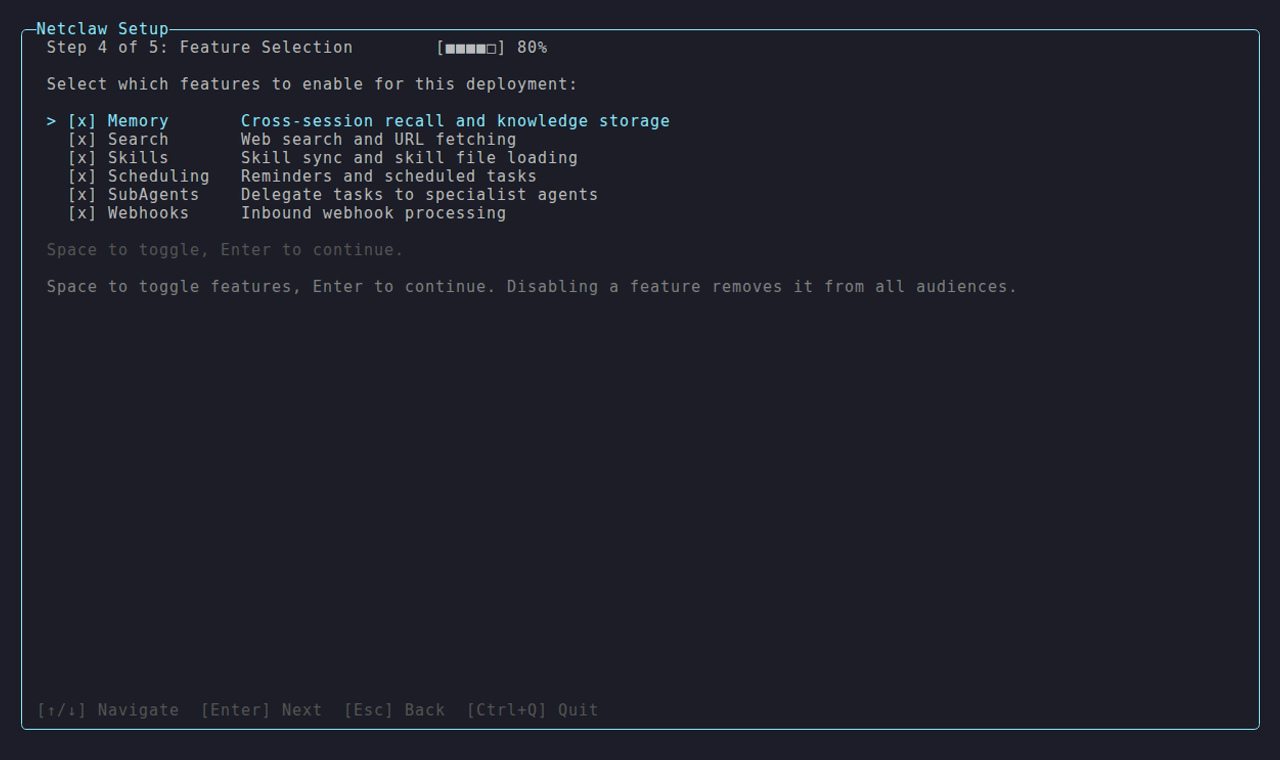
This is the Team posture, which starts with all six on. Public starts with all six off.
Health check
Section titled “Health check”The last step starts by itself when you leave the previous one. There’s no extra Enter. It ticks off the provider, the model and the memory backend, writes the configuration, applies it to the daemon and validates the result.
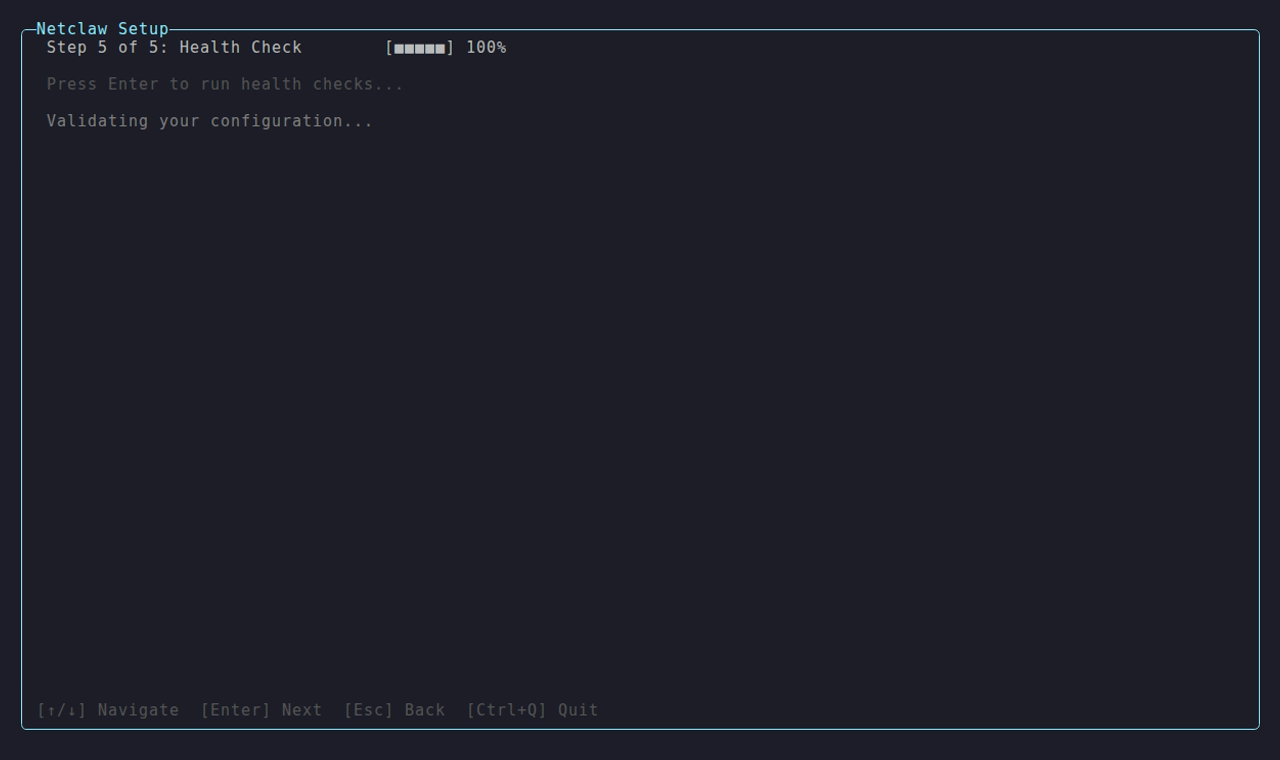
That’s the Personal run, ending at 4 of 4. Team and Public have the extra features step, so their health check reads Step 5 of 5. The checks are identical and only the counter differs.
On a clean pass the wizard opens netclaw chat and your agent introduces itself. If anything fails, the failed check shows ✗, and you stay on the summary with:
Setup complete with warnings. Run `netclaw daemon start`, then `netclaw chat --onboarding`. Adjust settings with `netclaw config`.Files written before a failure stay on disk. Fix the cause (on a bare Linux image it’s usually a missing libicu, see installation troubleshooting), run netclaw daemon start, then netclaw chat --onboarding. That command starts the identity interview the wizard would have opened. netclaw doctor shows what else is wrong.
What init writes
Section titled “What init writes”Here’s the Personal config from a real run against an OpenAI-compatible server. The model key is <provider>-<model id>, so a model named demo-model becomes openai-compatible-demo-model:
{ "configVersion": 1, "Providers": { "openai-compatible": { "Type": "openai-compatible", "Endpoint": "http://llm.example.internal:8080" } }, "Models": { "Definitions": { "openai-compatible-demo-model": { "Provider": "openai-compatible", "ModelId": "demo-model", "Provenance": "Live" } }, "Roles": { "Main": "openai-compatible-demo-model" } }, "Security": { "DeploymentPosture": "Personal", "ShellExecutionMode": "HostAllowed", "StrictDefaults": true }, "Tools": { "ShellMode": "HostAllowed" }, "Identity": { "AgentName": "Netclaw", "CommunicationStyle": "Concise & casual", "UserTimezone": "UTC", "UserName": "Sam" }}| File | Contents |
|---|---|
~/.netclaw/config/netclaw.json | The config above. Team and Public add Memory, Search, SkillSync, Scheduling, SubAgents and Webhooks blocks with Enabled, and set ShellExecutionMode and Tools.ShellMode to Off. |
~/.netclaw/config/secrets.json | Only if you entered an API key. Credentials are encrypted. |
~/.netclaw/identity/ | SOUL.md, AGENTS.md and TOOLING.md for the agent’s personality and rules |
~/.netclaw/agents/ | Four sub-agent profiles: task-worker, research-assistant, code-analyst and summarizer. Profiles that already exist are never overwritten. |
init writes the posture, not Tools.AudienceProfiles. The daemon computes the per-audience profiles from the posture, so an absent profile is normal.
Running init on an existing install
Section titled “Running init on an existing install”When ~/.netclaw/config/netclaw.json exists, init opens an action menu instead of the wizard. Nothing changes until you confirm an action. The exception is the seed that install.sh --channel and install.ps1 write, a config holding only configVersion and Daemon.UpdateChannel. That one opens the first-run wizard. A config init can’t read still opens the menu, so a damaged file is never written over.
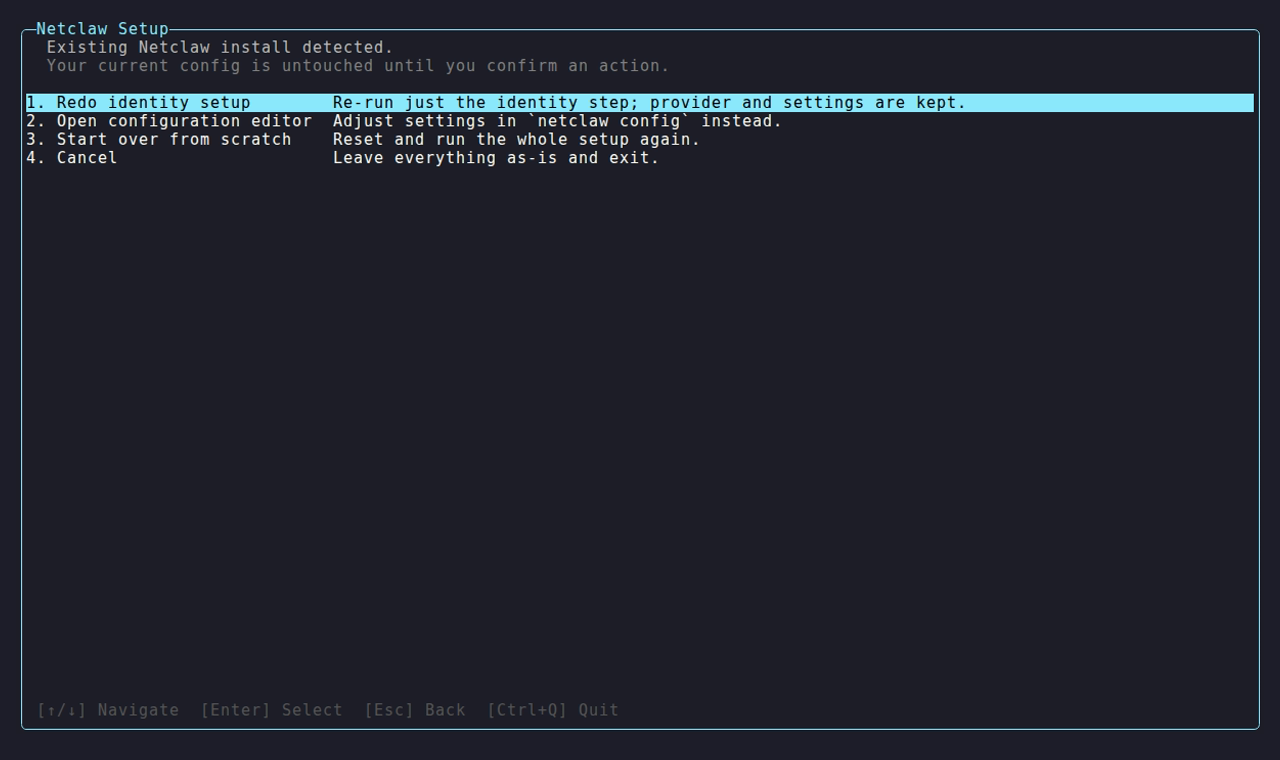
The menu says your config is untouched until you confirm an action.
| Option | Effect |
|---|---|
| Redo identity setup | Re-runs the four identity prompts with your current answers filled in and saves them to netclaw.json. Provider and settings stay. Then Enter starts the guided identity chat and Esc skips it. |
| Open configuration editor | Hands off to netclaw config |
| Start over from scratch | Opens the reset scope chooser |
| Cancel | Exits with everything as it was |
On this menu Esc exits init, the same as Cancel. In the reset screens it steps back one screen: from a confirmation to the scope chooser, then to this menu.
Start over from scratch
Section titled “Start over from scratch”Choosing Start over from scratch opens a scope chooser.
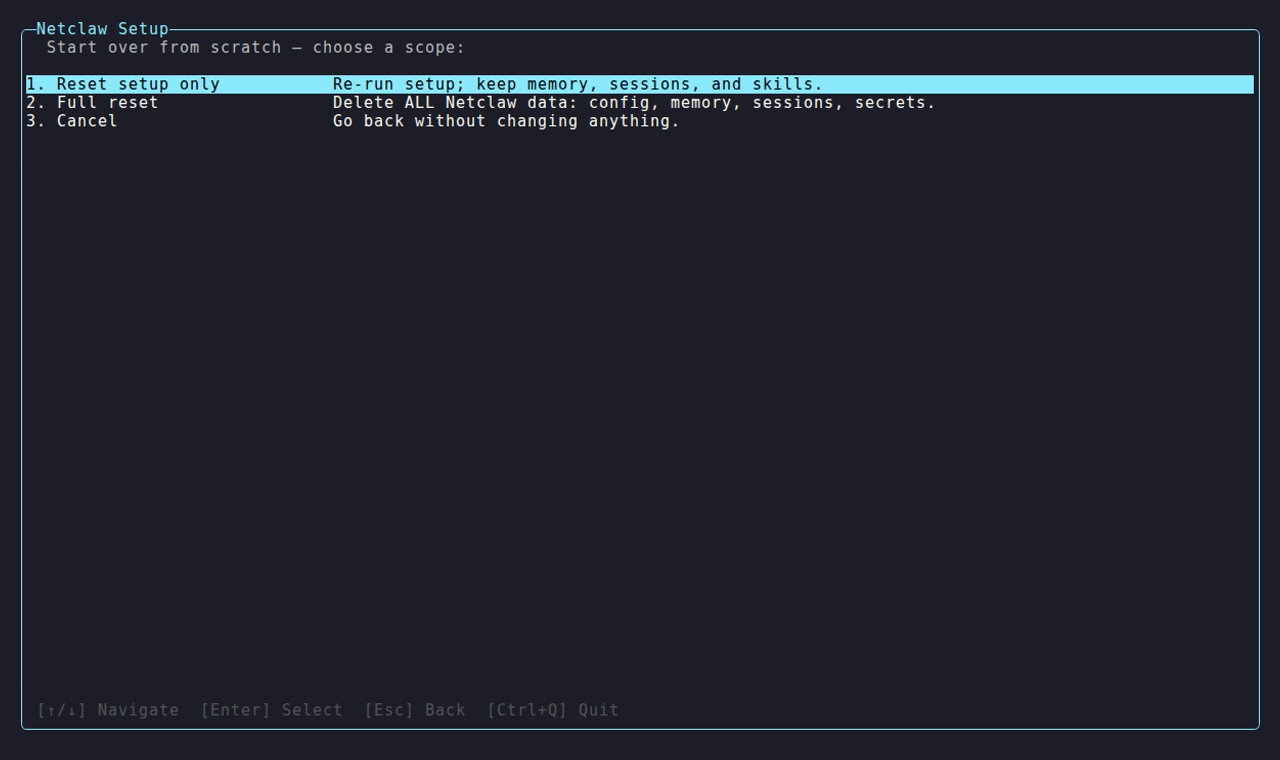
Full reset is the destructive row, and its description says it deletes everything.
| Scope | What’s deleted |
|---|---|
| Reset setup only | Everything in ~/.netclaw/config/ (netclaw.json, secrets.json, tool-approvals.json, webhook routes, paired devices) and the identity and soul directories. Memory, sessions and skills stay. |
| Full reset | Everything under ~/.netclaw/ except bin/, where the installed binaries live |
| Cancel | Back to the menu |
Both scopes ask you to confirm twice. Each prompt puts Cancel first, so you have to move down to Yes and press Enter twice. The reset stops the daemon, deletes the files, then drops you into the wizard from step 1. If daemon stop refuses because the PID in netclaw.pid isn’t shown to serve this home (see netclaw daemon), the reset prints the refusal and Nothing was deleted.
After init
Section titled “After init”After init, netclaw answers you locally through netclaw chat and nothing else. No channels are connected and the daemon listens on loopback only.
netclaw config # channels, search, exposure mode, skill sourcesnetclaw doctor # check config and connectivitynetclaw status # confirm the daemon is healthyRelated pages
Section titled “Related pages”netclaw config: post-install settings for channels, search, exposure and skillsnetclaw doctor: diagnose config and connectivity problemsnetclaw provider: add or swap providers without re-running initnetclaw model: reassign model roles- Quickstart: the whole path from install to first chat
Resources
Section titled “Resources”- OpenRouter documentation: API keys, model catalog and rate limits
- Ollama installation: local model runtime setup
- llama.cpp server docs: the OpenAI-compatible server the self-hosted option talks to
 Built by Petabridge